How to solve an error when downloading an app from Galaxy Store
Important Note: The information on this page is for Hong Kong products only. Models, sequences or settings will vary depending on location and/or where the product had been purchased. To be redirected to your local support page please click here.
It is possible that when downloading an application from Galaxy Store you may encounter an error. There are several ways to solve this.
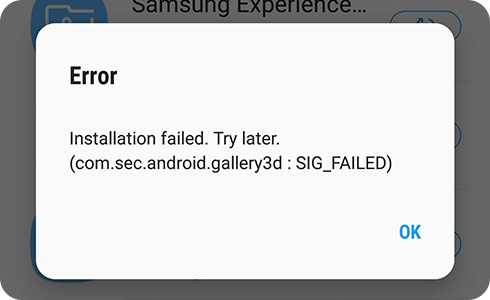
If an error occurs during the app installation and update stage, please try again after completing the following steps.
On your Galaxy phone


Step 1. Open your phone and go to “Settings” menu. Tap on the “Apps” option.


Step 2. In your “Apps” menu, tap on “Galaxy Store”.
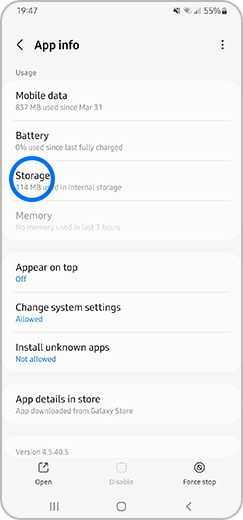
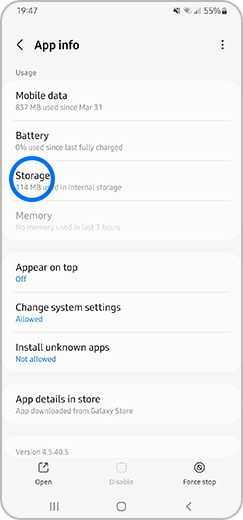
Step 3. Then tap on “Storage”.


Step 4. In your "Storage" menu, tap on "Clear Data”, then “Clear Cache" and try the app installation or update again.
If the same error persists, please contact us by attaching the system log data through Galaxy Store. To do this, please follow these steps.


Step 1. Open Galaxy Store and tap on the “Menu” option.
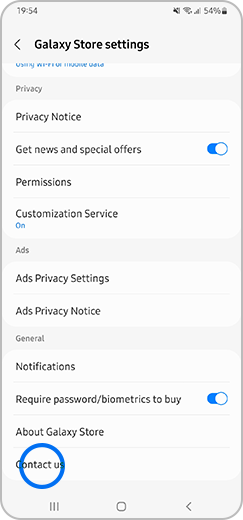
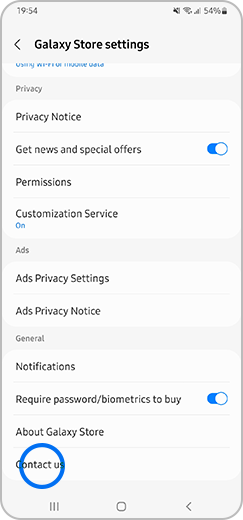
Step 2. On this screen, tap on the settings icon and select the option “Contact us”.


Step 3. Tap on the “Error reports” menu to resolve the problem with our help.
Related problems
To download apps and resources to the device, it is recommended that you have at least 1.5 GB of free space or 2.5 times the app capacity. If there is no free space, the download may not be possible.
To check the device storage, please follow these steps.
Please note: The location and name of the “Settings” menu may be different depending on the country and device.
If the above information does not match what your product is showing, you may check the User Manual for your product. If you are unable to solve the problem, please contact us for further assistance.
Thank you for your feedback!
Please answer all questions.
RC01_Static Content : This text is only displayed on the editor page