How to block Samsung Internet ads
Important Note: The information on this page is for Hong Kong products only. Models, sequences or settings will vary depending on location and/or where the product had been purchased. To be redirected to your local support page please click here.
When browsing with Samsung Internet, you may encounter lots of ads that you want to get rid of. Learn how to block those annoying ads by downloading third-party ad blockers.
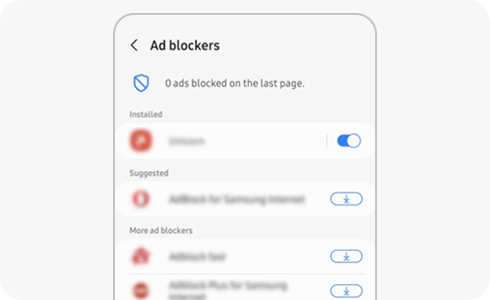
With the ad blocking feature of Samsung Internet, you can experience fast and clean web browsing without ads. Please follow the next steps for details on how to activate the ad blocking feature.


Step 1. Go to Samsung Internet and click the bottom right menu icon.


Step 2. Select “Ad blockers” icon.


Step 3. Install one of the third-party Ad blocker apps by clicking the download icon and then turning on the toggle button of the chosen one.
If the above information does not match what your product is showing, you may check the User Manual for your product. If you are unable to solve the problem, please contact us for further assistance.
Thank you for your feedback!
Please answer all questions.
RC01_Static Content : This text is only displayed on the editor page